
FS Studio robotics services
Robot teleoperation, data collection and deployment support.
Hands-on teams that run your robots day to day, collect the demonstrations your models need, and get deployments working on site.
Robotics companiesAI and data teamsSystem integrators
Example scope
Second shift, manipulation cell
- Team
- Six operators and a shift lead
- Work
- Teleoperation, scene preparation, task resets
- Supervision
- Lead on the floor, procedure and safety checks
- Reporting
- Daily shift log with exceptions and escalations
Example scope
Manipulation coverage batch
- Methods
- Robot demonstrations and egocentric capture
- Brief
- Three tasks, two environments, an agreed object set
- Output
- Episodes with task metadata and a coverage report
- Path
- Pilot batch, review, then scale
Example scope
Second site launch
- Before
- Readiness checks, access, logistics, work plan
- On site
- Setup support, trial runs, issue tracking
- After
- Operator training and a documented handover
- Owners
- Design and sign-off stay with your engineers
Running robot teleoperation data floors for frontier AI labs.
US-based teams for robot teleoperation and operations, on site at customer labs and facilities.
Trained on your procedures and safety rules, with a named lead on every program.
Fifteen years of simulation and robotics systems work behind the service.
FS Studio has built simulation, digital twin and synthetic data programs for robotics, autonomy and industrial teams since 2011.
Hands-on support. Clear responsibilities.
Bring us in for a specific need or a longer-running program. You choose the work we own.

Robot operations
Keep robots working without putting your engineers on every shift.
- Teleoperation and physical robot handling
- Scene preparation, task resets and supervision
- Shift coverage with a named lead and daily reporting
- Managed teams, embedded operators, or build to transfer

Data collection
Get the demonstrations your models are missing.
- Robot demonstrations by teleoperation
- Egocentric human capture
- UMI handheld-gripper demonstrations
- Quality checks, coverage reporting and processing in the program

Deployment support
Get a deployment working on site, then hand it over.
- Site readiness and launch planning
- Setup support, trial runs and issue tracking
- Operator training and a documented handover
- Project-scoped, alongside your engineers or integrator
One FS lead for the scope you choose.
Your technology, your customer relationships and your data stay under your control.
Robot operations
Robot teleoperation that keeps robots working while your team builds.
Robot teleoperation programs, lab operations and facility work need people who show up every shift, follow the procedure and report what happened. FS provides and trains those teams, and runs the day to day so your engineers can spend their time on the robot.


Managed program
FS runs the program: staffing, supervision, scene preparation, resets, reporting and escalation. You set the priorities and review the results.
Embedded team
Operators and handlers work inside your team. Your engineers direct the daily work and keep every technical decision.
Build to transfer
FS sets up the team, training and procedures for an operation you intend to own, then hands it over with documentation.
US-based operations teamsA named lead and daily reportingTrained on your procedures and safety rules
Teleoperation, physical handling, task resets and operating support, run by an FS team with a named lead.
- Operators and handlers trained on your procedures and safety rules
- Scene preparation, task resets and shift supervision
- Daily shift log with exceptions and escalations
- Managed program, embedded team or build to transfer
- Additional shifts or sites
- Collection programs run by the same team
- Transfer of the operation to your own staff, with documentation
Programs run on customer-provided robots and procedures. Hardware repair, integration work and extended coverage are agreed separately.
Physical AI data collection
Robotics data collection: three ways to capture the data your models need.
From robots or from people. The method follows the task. Every program starts with a written brief, runs with quality checks, and ends with a defined delivery.

Demonstrations on your robots.
In robot teleoperation sessions, our operators run the task set, prepare scenes and reset between episodes. Your team sets the collection priorities; FS runs the execution and keeps the session record.
Useful for
Task demonstrations, repeat trials, and the failure and recovery examples requested in the brief.
Demonstrations collected on your robots by teleoperation, against a written brief.
- Collection execution: operators, handling and task resets
- Session records: context, interruptions and checks performed
- Failure and recovery examples retained when the brief asks for them
- Quality and coverage report
- Dataset packaging in your format
- Annotation and processing
- Ongoing collection as a managed program
Dataset packaging and annotation are included when they are part of the program scope. Platform readiness and the receiving workflow are confirmed before mobilization.

First-person recordings of people doing the work.
Directed capture across the tasks, objects and environments in your brief, in your facility or in representative environments FS arranges. Instructions, supervision and quality checks follow one program plan.
Useful for
Human task sequences, environment diversity, and the interactions missing from an existing dataset.
Directed first-person recordings of people doing the work in your brief.
- Task design and capture instructions from your brief
- Directed capture across agreed tasks, objects and environments
- Supervision and quality checks during collection
- Session metadata and a quality and coverage report
- Human pose, depth, segmentation and object identification
- Privacy processing to your specification
- Additional environments or participant profiles
Participant consent and location permissions are handled within the program. Additional signals are scoped and priced per program.

Manipulation demonstrations without a robot at every location.
A handheld UMI gripper captures physical tasks where the work happens. Capture is set up around the device configuration and the outputs your pipeline needs.
Useful for
Gripper-based manipulation demonstrations, with gripper trajectories and opening signals when processing is in scope. UMI: Universal Manipulation Interface.
Manipulation demonstrations with a handheld UMI gripper, where the work happens.
- Capture set up around the agreed device configuration
- Task demonstrations and recordings
- Tracking quality reported with the delivery
- Session metadata and a quality and coverage report
- Processed gripper trajectories and opening signals
- Bimanual capture and additional sensing
- Mapping to a specific robot
Processed outputs are delivered when they are in scope and validated. Mapping to a particular robot, bimanual capture and extra sensing are scoped separately.
What you receive
- 01The recordingsRaw capture and any processed data in the program scope.
- 02Task and context metadataWhat was collected, where, and against which brief.
- 03Quality and coverage reportChecks performed, coverage against the brief, documented exceptions.
- 04Delivery in your formatPackaged to your specification, with a review session.
Processing options: metadata, human pose, depth, segmentation, object identification and privacy processing, scoped per program.
Sample frames
Generated examples, not customer data.

Robot demonstration · episode frame

EGO · task sequence

UMI · gripper trajectory

Session metadata overlay

Coverage report excerpt

Processed output · segmentation
Start with a pilot batch. Review it with your team. Scale the program when the data earns it.
Robot deployment support
More than getting a robot on site.
Help your customer move from a planned deployment to a working routine. FS brings the people and the preparation around the launch, alongside your engineers or your integrator.

01
Before the launch
Readiness checks, access, logistics and the onsite work plan. Training needs identified with the site team.
02
On the ground
Setup support, trial runs and issue tracking, with each issue routed to the right engineering owner.
03
Into daily operations
Operator training, support through the early shifts and a documented handover. Add sites or ongoing support when needed.
System design, engineering sign-off and safety acceptance stay with the robot maker or integrator. FS adds the field capacity around them.
Teams that also want a simulation-ready twin of the site for layout and reach checks before launch can add it through FS Studio’s simulation practice.
A hands-on team for the work between a planned deployment and a site team ready to use the robot.
- Readiness checks, access, logistics and the onsite work plan
- Setup support, trial runs and issue tracking
- Operator training and support through the early shifts
- A documented handover
- Further sites
- Ongoing operating support after the launch
- A simulation-ready twin of the site through FS Studio’s simulation practice
System design, engineering sign-off and safety acceptance remain with the robot maker or integrator. Personnel and availability are confirmed per project.
Who we help
Your program. Our hands-on support.
You build the robot. We run the work around it.
Field support for a customer pilot, operating capacity in your lab, or a collection program on your platform. Your engineers keep the product decisions; FS takes the execution you choose to hand over.
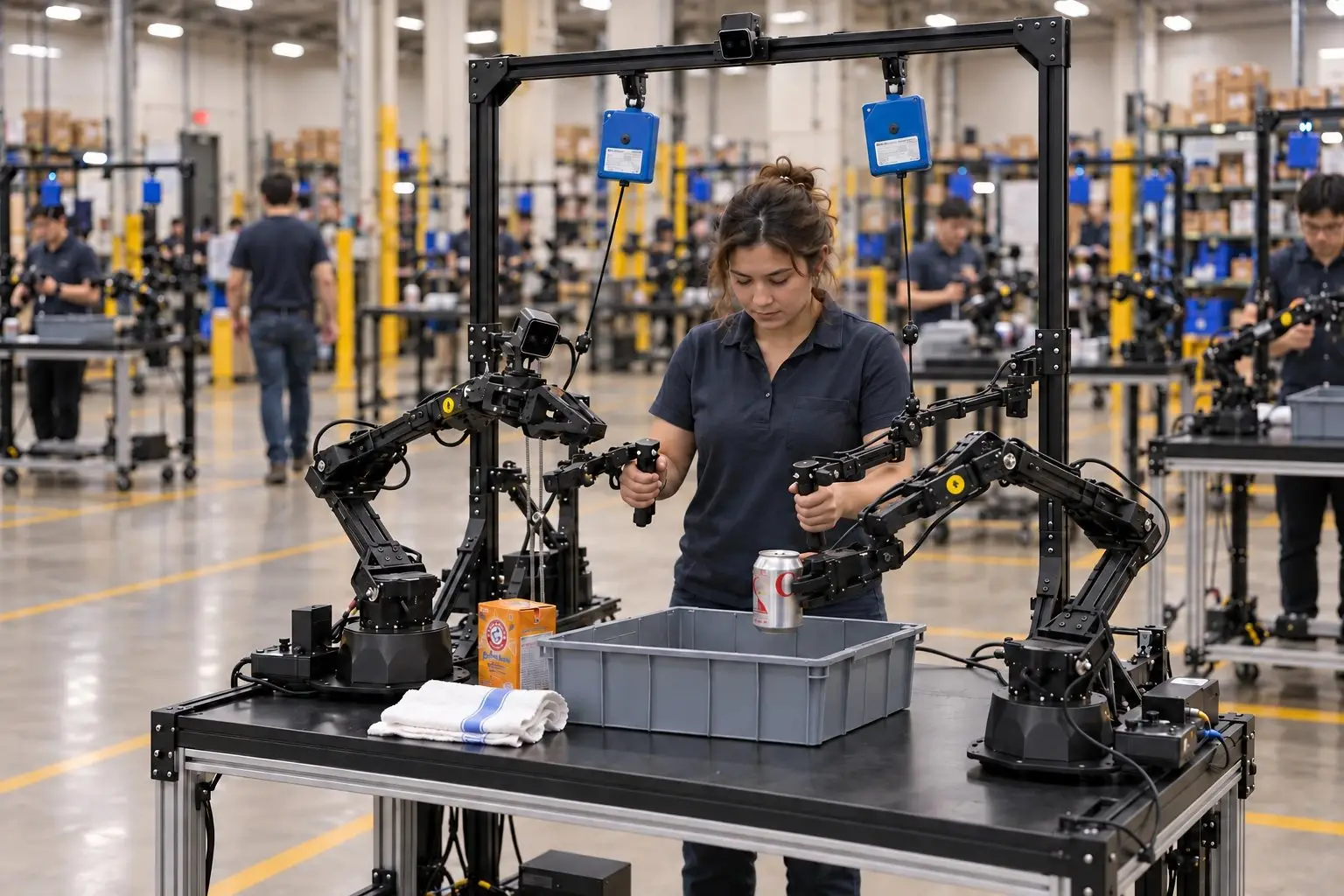
Example engagement, illustrative
A customer pilot and a busy lab.
A robot maker brings in FS for onsite pilot support and an additional collection shift, with a named lead, clear escalation and agreed reporting.
Your researchers set the target. We run the collection.
Commission the tasks and environments your dataset is missing, from robots, from people, or both, with the outputs and the review defined up front.

Example engagement, illustrative
A gap in manipulation coverage.
A data team commissions a batch across agreed objects and environments, reviews the pilot batch with FS, then scales the program.
Your integration. Your customer. More delivery capacity.
You lead the system design and the customer relationship. FS adds field execution for site launches, training and rollout support alongside your project team.

Example engagement, illustrative
Two sites, one stretched project team.
An integrator brings in FS for the onsite work at the second launch while its engineers keep design decisions and sign-off.
Working with FS
A project, a team, or a managed program.
Keep the control you need. Hand over the work that helps.
Defined project
A site launch, a collection batch or a bounded task, with the deliverable, responsibilities and handover agreed before work starts.
Embedded team
Qualified operators, handlers or field support inside your team, while you keep daily direction and technical decisions.
Managed program
FS takes the operating lead for the agreed execution, supervision and reporting. Build to transfer is available when the goal is an internal operation.
Your program stays yours.
The controls that matter when the work touches your robots, your customers and your data.
- No FS platform requiredWe work in your tools, your formats and your review process.
- No pooling or resale of customer dataOwnership and permitted use are set in the contract, not by default.
- Consent and privacy processing built inHuman-capture programs run with participant consent and privacy processing as part of the plan.
- One lead, one contractA single FS lead and a single agreement cover the whole program.
A practical start
Start with the work that needs doing.
1
Tell us the bottleneck
A site launch, an operating gap or a data requirement.
2
Agree the scope
Team, responsibilities, deliverable and timing.
3
Deliver, then decide
Review the work. Expand when the next scope adds value.
Common questions
No. Deployment support sits alongside the robot maker or integrator. System design, technical authority and safety acceptance remain with the responsible project parties.
Yes. An embedded team lets your engineers direct the daily work. Managed programs and build to transfer are options, not requirements.
Not for the human-capture portion. Egocentric recordings and UMI handheld-gripper demonstrations are collected without a full robot at each location. The device setup and the outputs are defined in the program brief.
On your robots in your lab or facility, or, for human-capture programs, in your facility or in representative environments FS arranges to match the brief.
Yes. Data programs start with a pilot batch delivered to the full standard. Operations can start with a single shift or a defined project. Deployment support is scoped per launch.
Robot operations are priced by team capacity and coverage. Data programs are priced by batch, plus any processing in scope. Deployment support is priced by project. Scope and dependencies are agreed before a quote. No model-performance outcome is guaranteed.
Talk to FS
What are you putting to work?
A customer launch, another operating shift or a new dataset. Tell us what needs to happen and where your team needs support.
Imagery is AI-generated and illustrative. It does not depict actual FS Studio personnel, customer facilities or delivered datasets.